
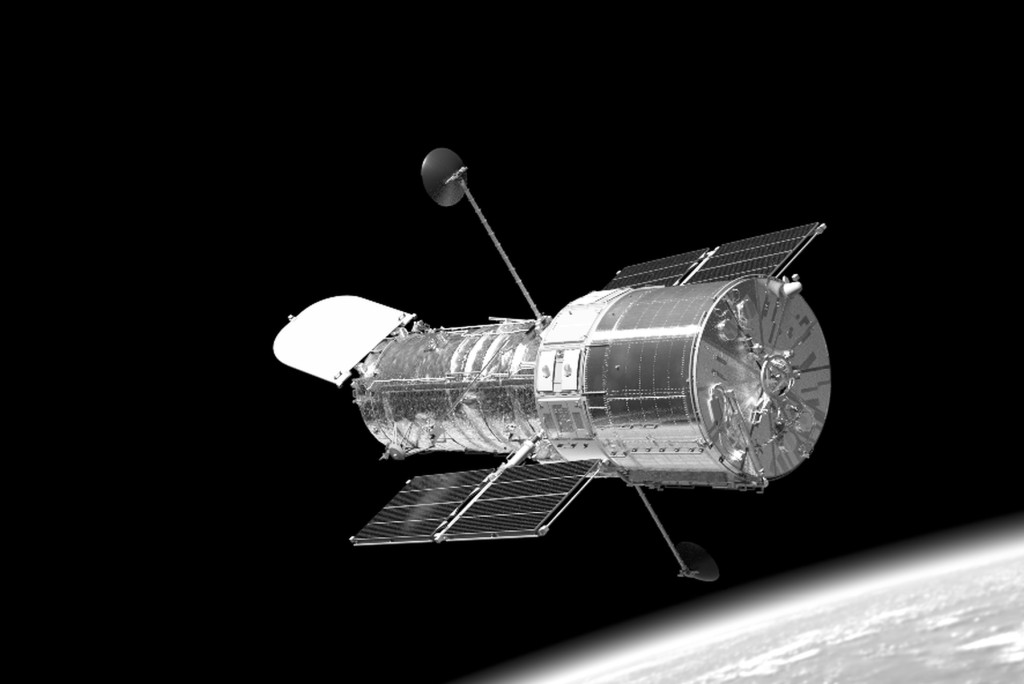
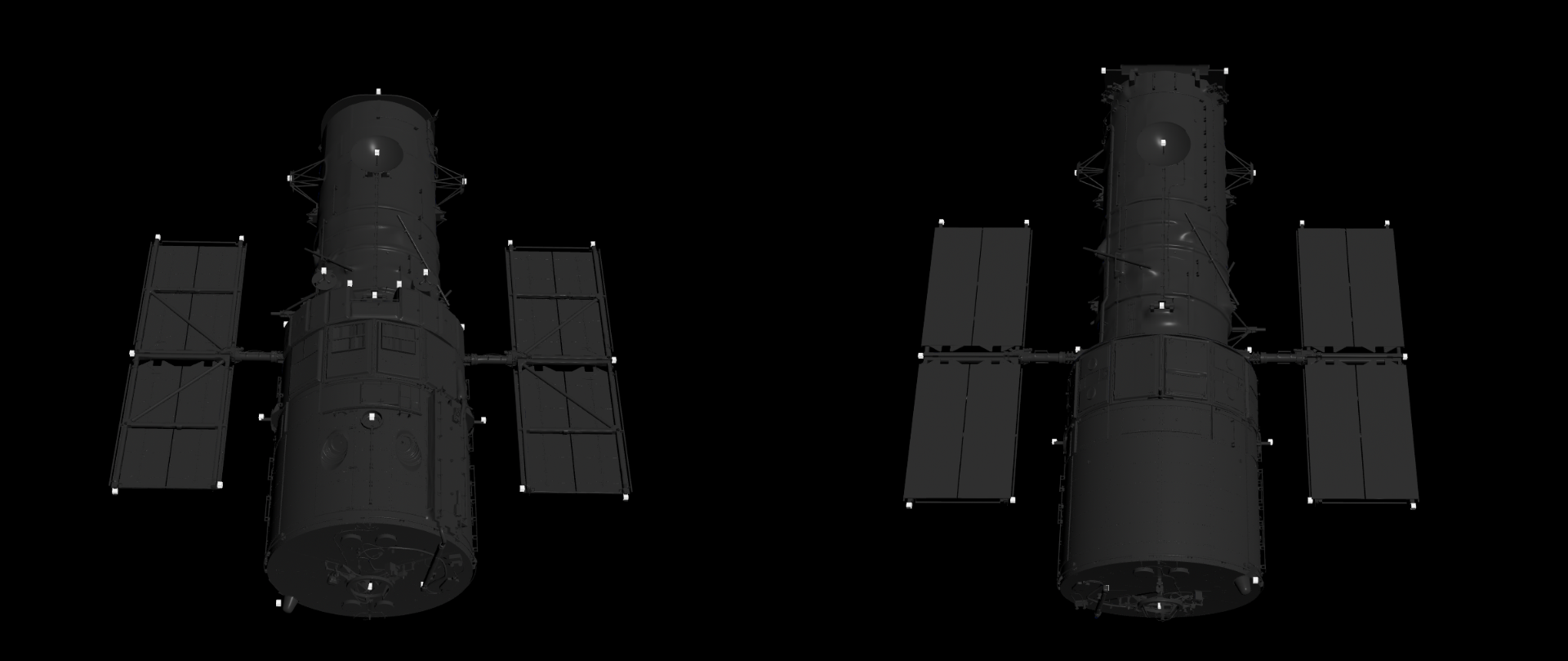
This is a versatile and powerful image format, particularly well-suited for storing high-dynamic-range (HDR) imagery and multiple image elements within a single file. A key advantage of the EXR format, as utilized by the DLVS3 studio rendering pipeline, is its ability to embed various image buffers or “layers” within a single file. This means that for each rendered scene, the .exr file encapsulates more than just the final color image. It efficiently stores different image components.
Furthermore, the EXR format offers significant flexibility in terms of data representation for each of these components. Unlike conventional image formats with fixed channel counts and data types, EXR allows each embedded layer to have an arbitrary number of channels (e.g., single-channel grayscale for depth, three channels for RGB or normals) and to be stored with different numerical precisions. In this dataset, you can expect to find data represented as:
The EXR contains the “depth” parts, which store crucial spatial information about the rendered scenes. It’s important to understand how the pixel values in these images relate to the actual 3D data, as they may not appear intuitively as standard color or grayscale images when viewed directly.
These files utilize a 16-bit floating-point (float16) representation for pixel values. In this context, a pixel value of 0.0 typically corresponds to black, and a value of 1.0 corresponds to pure white. However, the nature of floating-point data allows for values outside this normalized range.
Regarding the Depth Image:
The Depth stores the distance of each visible point on the Hubble Space Telescope from the camera in meters. In this dataset, the typical distance of the telescope from the camera ranges approximately from 10 to 30 meters. Since these depth values are significantly larger than 1.0, when visualized directly as an image with a 0.0-to-1.0 mapping, the entire Hubble Space Telescope will likely appear completely white. The actual depth information is encoded in the floating-point values, not directly in the perceived grayscale intensity. To interpret the depth accurately, you will need to read the raw float16 pixel values.
We use the “standard” normal map conventions:
Unit Normal vectors corresponding to the u,v texture coordinates are mapped onto normal maps. Only vectors pointing towards the viewer (z: 0 to -1 for left-handed orientation) are present, since the vectors on geometries pointing away from the viewer are never shown. The mapping is as follows:
The material properties of the Hubble Space Telescope model were subtly altered in every image. This randomization of material characteristics further enhances the dataset’s variability. This is extremely important because we know very little or nothing about the condition of the materials used over a 25-30 year period.
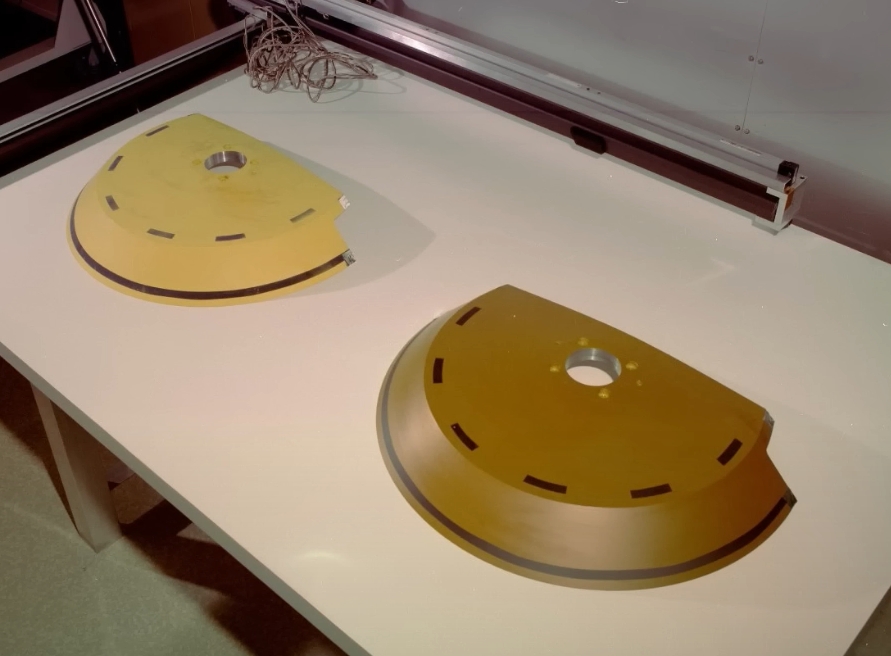
Similarly, the MLI wrinkles are unknown, so we procedurally rendered a different state in each image. The reflectivity and roughness of the surfaces also change due to atomic oxygen and micrometeorites impacts.
Note: Autoplay is affected by Google’s Autoplay Policy on Chrome Browsers. Play the animation manually in this case.
The goal of randomization is to walk around the event space around the unknown reality and thus provide a more robust solution. Therefore, it should be noted that selecting an arbitrary image from the database is not guaranteed to look completely realistic.
For the sake of realism, it is extremely important to consider not only the Sun as the primary light source when rendering scenes, but also the light reflected from the Earth. In addition, since the Earth from the distance of LEO orbit is a surface filling nearly 180 percent of the sky, the polished and smooth surfaces of the satellites also reflect its details – clouds, dry lands, oceans…
To mimic perfect reflections, we created a 360-degree environment map in each case, storing the light energy coming from the given directions. The following example shows the HDR environment from -17EV to +5EV with 1EV steps:
Note: Autoplay is affected by Google’s Autoplay Policy on Chrome Browsers. Play the animation manually in this case.
The colorspace is always linear in our EXR files. To get a final image to train, additional post-processing functions are required:Copyright © 2023 Machine Intelligence Zrt.
| Cookie | Duration | Description |
|---|---|---|
| cookielawinfo-checkbox-analytics | 11 months | This cookie is set by GDPR Cookie Consent plugin. The cookie is used to store the user consent for the cookies in the category "Analytics". |
| cookielawinfo-checkbox-functional | 11 months | The cookie is set by GDPR cookie consent to record the user consent for the cookies in the category "Functional". |
| cookielawinfo-checkbox-necessary | 11 months | This cookie is set by GDPR Cookie Consent plugin. The cookies is used to store the user consent for the cookies in the category "Necessary". |
| cookielawinfo-checkbox-others | 11 months | This cookie is set by GDPR Cookie Consent plugin. The cookie is used to store the user consent for the cookies in the category "Other. |
| cookielawinfo-checkbox-performance | 11 months | This cookie is set by GDPR Cookie Consent plugin. The cookie is used to store the user consent for the cookies in the category "Performance". |
| viewed_cookie_policy | 11 months | The cookie is set by the GDPR Cookie Consent plugin and is used to store whether or not user has consented to the use of cookies. It does not store any personal data. |

